
Managed IT services · St. Petersburg
Managed IT services in St. Petersburg, from a team that knows your setup.
Your own IT team for St. Petersburg and Pinellas businesses, from small offices to 150 people, with people watching your security around the clock.
Already have an IT person? Keep them as the first call; we carry security, backups, nights and vacations. How we work with your IT person →
- $125
- per person, per month. Security in every plan.
- 15 min
- usual answer, from someone who knows your setup. Our night team takes anything urgent.
- Your choice
- A client for life, because it works. If it is not working for you, you can end it with 60 days' notice.
★★★★★ 5.0 on Google · SOC 2 Type II · Founded in Florida in 1995
Thirty minutes, no pitch.
With Pedro, Bill or Leah, who look after new clients. You leave with a plan, and you meet your own team before you decide.


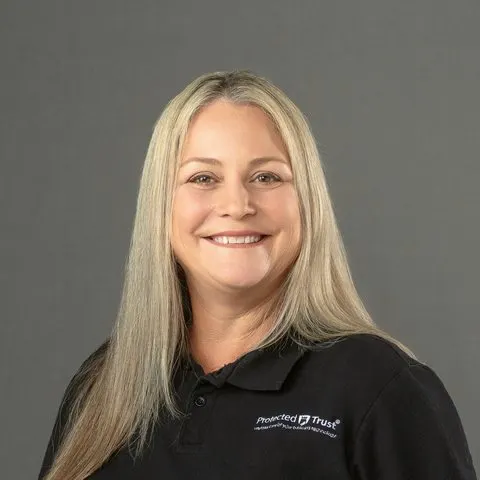
Pedro, Bill and Leah
Pick a time to talk- ✓ Help in about 15 minutes, from people who know your setup.
- ✓ Keep your IT person. Your firm keeps the admin keys.
- ✓ Insurance renewal? We fill in the questionnaire with you; watching around the clock within 14 days.
- ✓ 10 people: $1,250 a month, plus $220 for Microsoft licenses: $1,470 a month.
“Having a team that actually knows our environment makes a huge difference. There's no explaining things over and over, and every request gets followed through to the end.”
After the first call
Your St. Petersburg team, by name.
St. Petersburg clients work with Javier, Jonathan and Joe, a Concierge Lead and two Concierge Specialists, from the office on Central Avenue and with the whole company behind them. Plenty of Pinellas businesses have people on both sides of the bay; they get the same three people and one invoice. Each of them knows your setup, so when one is away nobody asks you to explain it again. You meet them before you decide, and their names and the St. Petersburg number go on your Signature Key, a card for the desk and a web page of your own.

I take on the projects and the stubborn problems, and explain them in plain English.

I handle the big moves: migrations, mergers, new devices, and everything Microsoft 365.

I bring new clients on board and look after the cloud, the servers, and the backups.
Your security, around the clock
Who watches your business at 2 a.m., and what they do.
Software can spot an attack and send an alert. Someone still has to read it and act, at any hour. That is the part we carry, for you, every night.
- 1
Everything is collected
Every sign-in, email and computer event goes to one place, wherever your people are working, and is checked for the patterns of an attack.
- 2
People are watching
Our security operations center reviews what turns up: people, around the clock, every day of the year, not an inbox no one reads at night.
- 3
They act
The account is locked and signed out, and the computer can be cut off from the network, at any hour. Who we call is agreed with you beforehand: for a serious incident, your chosen contact, right away; for anything less, your Concierge Team in the morning.
Your cyber insurance questionnaire calls step 1 a SIEM and steps 2 and 3 a SOC, a security operations center. It is in every plan, not an upgrade.
A server down at night? The same number reaches our night team within 15 minutes.
In their words
“They build relationships.”
“Our organizations switch to Protected Trust was years past due. … It's not just about the services with PT, they build relationships.”
What you get
What is yours, for $125 a person.
As your managed service provider in St. Petersburg, this is the work people do for you every month. Open any line to see what is in it.
Your teamThe same people every time, who know your name, your people and your setup.
- In St. Petersburg, Javier, Jonathan and Joe. If one is away, the others already know your setup.
- Reach out any way you like; your team already knows you.
- A follow-up on every request: when we fix something, we check that it worked.
- Specialists behind them for anything bigger, introduced by name and briefed first.
- On site when it matters, anywhere in Pinellas County, from Clearwater to the beaches.
Your securityPeople watching your business around the clock, and acting when something is wrong.
- Our security operations center: people, not just software, reviewing alerts day and night.
- Every sign-in, email and computer event collected in one place and checked for the patterns of an attack.
- When something is wrong, they act at any hour: the account is locked and signed out, and the computer can be cut off from the network. Who is called, and for what, is agreed with you when you start, and reviewed every year.
- An account locked for a security reason stays locked until the person you name asks us to unlock it. Routine lockouts from mistyped passwords clear on their own.
- Your team turns on multifactor sign-in for every account, and sets the rules for which devices and places can sign in.
- Your team checks email attachments and links before anyone opens them, and blocks spam and impersonation.
- Your team protects every computer against ransomware and filters the websites it can reach.
- What your cyber insurance questionnaire asks about: multifactor sign-in, a separate backup, and people watching around the clock. We fill it in with you: multifactor sign-in and backups are typically on within the first week, and the around-the-clock watching within 10 to 14 days for most offices.
Your devicesEvery computer, phone and tablet set up, kept current and kept healthy.
- New computers shipped straight to your people, ready to sign in and work.
- Windows and Office updates rolled out in waves, so a bad update never hits everyone at once.
- Encryption and update rules enforced on every device.
- A lost or stolen device wiped remotely.
Your safety netYour own copy of your email and files, and a spare laptop on our shelf.
- Email and files backed up separately, restorable to any day it was backed up. Microsoft keeps them running, but getting them back after a mistake or an attack is not Microsoft’s job. We keep that copy for you.
- Email archived and kept as long as the rules require.
- A loaner laptop from our shelf if yours is lost, stolen or broken.
- Spare network equipment if lightning or a failure takes yours down.
Your peopleShort, regular training, so your team spots a scam before it costs you anything.
- Practice phishing emails, so the real ones are easier to spot.
- Workshops and self-service guides.
Your Microsoft 365Set up, secured and supported for everyone.
- Word, Excel, Outlook and Teams installed on every computer, with a 100 GB mailbox and 1 TB of storage per person.
- Your firm holds the admin keys. We keep the record of every account, the domain and the backups, and hand it to you.
- Licenses on their own lines, at Microsoft’s prices, on the same bill.
Your planSomeone thinking about next year, so you do not have to.
- Quarterly planning with your Concierge Lead: budget, roadmap, renewals.
- A plain report of where you are exposed and where you are already fine.
- A new hire, a new computer, a printer or a question is included. A new office, a migration or new equipment is a project, quoted before the work starts, never after.
ProjectsSmall changes included; big ones quoted before the work starts.
- Included: a new hire, a new computer, a printer, a vendor call, a question.
- A project: a new office, a migration, new equipment. Planned and led by your Concierge Team, and quoted before the work starts, never after.
Your data and your proof+$30, Security + ComplianceFor practices that answer to HIPAA, the FTC Safeguards Rule or CJIS. Most offices do not need it.
- Sensitive files labeled and protected wherever they go, and data leaving where it should not watched.
- Risky sign-ins blocked even with the right password; admin rights given only when needed, and reviewed.
- An audit trail and reports mapped to HIPAA, PCI, GLBA, the FTC Safeguards Rule, IRS 4557 and CJIS.
- Policy templates, and help preparing for the audit.
The full line-by-line list, for your IT person, your insurer or your auditor, is on the pricing page.
What it costs in St. Petersburg
The prices, all of them.
Complete
Security is included in the $125, not added on. Your team, your devices, backup, planning and Microsoft 365 care, all in one price per person.
Security + Compliance
The proof for offices held to HIPAA, the FTC Safeguards Rule, CJIS or CMMC, on top of the security everyone already has.
Copilot, AI for work
Microsoft Copilot set up safely, only for the people who need it.
Setup, once: $150 per person at a computer, $1,500 at least, so $1,500 for that office.
With or without an IT person: the same price, because the protection is the same for every person.
Microsoft licenses are their own lines, at Microsoft’s prices. Most plans need Microsoft 365 Business Premium, $22 a person a month, for the security and auditing a business needs; people who work only on a phone or shared tablet, with no computer of their own, are on Frontline, at a lower price. One bill for all of it.
Changing providers
Four steps to switch, and your old setup stays on until everything is confirmed.
In a contract? Plan now, switch when it ends. Keeping your IT person? The same four steps, with them at the table.
A 30-minute call
You hear what the first month would look like.
Meet your team
Before you decide, you meet the people who would look after you.
A look, then a plan
Your team looks at what you have while your current setup stays in place. Nothing changes until you have the plan and its cost in writing, and have said yes.
The first month, done by us
Computers protected, your people introduced to the team, and the handover from your old provider done by us.
Not ready for a call?
Rather write first? Ask a quick question.
A question in writing, to a person.
- ✓ Leah reads it and writes back.
- ✓ Nobody adds you to a list.
- ✓ If a call would help, you can still pick a time.
Managed IT in St. Petersburg: the questions owners ask before they call.
Does St. Petersburg get its own team, or Tampa's?
The St. Petersburg office on Central Avenue is there so Pinellas clients have help on their own side of the bay. The same three people look after both sides, which is why a firm with offices in St. Petersburg and Tampa has one team, not two.
Do you come out to Clearwater, Largo and the beaches?
Yes. Clearwater, Largo, Pinellas Park, the beaches and the rest of Pinellas County, from Central Avenue in St. Petersburg.
How do our people get help on an ordinary day?
A call to the St. Petersburg number, an email, the client sign-in, or a visit by appointment. Most questions are answered within 15 minutes. At night our night team takes anything urgent within 15 minutes; everything else waits for the next business day.
We already have someone who handles IT. Do they stay?
Yes. They stay the first person your staff ask, and the St. Petersburg team handles the security watch, the backups, the nights and the weeks they are away. Your business keeps the admin keys.
What happens if we are not happy?
You can end it with sixty days' notice, and we hand back the admin keys, the records and the backups, cleanly. A client for life, because it works.
Our St. Petersburg provider was just bought. Now what?
Nothing has to happen in a rush. Protected Trust has been independent since 1995. Thirty minutes with Pedro, Bill or Leah gives you a second opinion, and a look at what you have can happen while the new owner is still in place.
Who holds the admin keys?
Your business does. We write down every admin login, the domain and where the backups are kept, and hand that record over, so a St. Petersburg office can never be locked out of its own systems.
See if we fit, in thirty minutes.
If we are the right fit, you hear what the first month looks like. If not, who to call instead.