Let's talk

Compliance services for HIPAA, CJIS, CMMC and FTC Safeguards.

We know where your sensitive information lives and who can reach it, and we can show the record when someone asks.

Added to Concierge IT for Business · $155 per person, with Complete

+$30
per person, per month, on top of Complete, for everyone on the plan, with a $750 monthly minimum.
Proof
A year of records and an audit trail mapped to the rules you answer to.
With you
We help you answer when an auditor, an insurer or a partner asks for proof.

★★★★★ 5.0 on Google · SOC 2 Type II · Founded in Florida in 1995

PedroBillLeah

Thirty minutes with Pedro, Bill or Leah, no pitch. Work out your own number →

Microsoft Solutions Partner SOC 2 Type II audited Founded in Florida in 1995
Winter Haven Orlando Tampa Directions on Google Maps

IT compliance services and HIPAA compliance consultants in Winter Haven, Orlando, Tampa, St. Petersburg, and Miami; CJIS, CMMC and FTC Safeguards compliance too.

A notebook and two cups on the table

Know where it is. Control who reaches it. Keep the records. Prove it.

A rule like HIPAA, or the FTC Safeguards Rule for a CPA firm, or CJIS for an agency, comes down to a few things: know where the sensitive information is, control who can reach it, keep the records you are required to keep, train the people who handle it, and be able to prove all of it. Complete protects your business. Security + Compliance runs those controls and keeps the proof, for everyone on your plan, as an add-on to Complete.

Most of it is invisible on an ordinary day. The labels go on, the records are kept, the sign-ins are watched. It becomes visible on the day an auditor, an insurer or a client's security questionnaire asks, and the answer is already there. The same add-on covers a clinic's patient records, a CPA firm's client files and an agency's criminal justice data, because the controls are the same; only the rule the proof is mapped to changes.

The controls run every day. The proof is there the day someone asks.

Our own audit, SOC 2 Type II →

How it runs

Your answers come from a record, not from memory.

Every Security + Compliance client gets the same five layers, built once and kept current. When an insurer, a client or an auditor sends a form, the answers are already there, with the proof beside them.

Where it starts

Follow the data.

Every good answer starts with one question: where does your information live? For most of our clients, it lives in one place, Microsoft 365 and Azure, in US data centers. Everything else is a path to it. We check every path.

Devices zoneprotected wherever it goesmanaged, encrypted, watchedproven healthy at every sign-innever trusted, on any networkOffice network zoneanswered office by officeno data kept on ithome or travel Wi-Fithe device protects itselfCloud zonewhere your data livesMicrosoft 365 and AzureUS data centersEvery path passesthe sign-in checkthe right person, a second step,and a healthy deviceProvider access zonehow we and others you hirereach in, every action loggedServers zoneanything outside Microsoft 365behind the sign-in check
  • Devices zoneevery laptop and phone, protected wherever it goes, proven healthy at every sign-in
  • Never trusted, on any network

    • Office network zoneanswered office by office, no data kept on it
    • Home or travel Wi-Fithe device protects itself
  • Cloud zonewhere your data lives: Microsoft 365 and Azure, in US data centers
  • Servers zoneanything outside Microsoft 365, behind the sign-in check
  • Provider access zonehow we, and anyone else you hire, reach in, every action logged

Every path passes the sign-in checkthe right person, a second step, and a healthy device

The five zones. Every answer on a form names the zone it covers.

We protect the device, wherever it goes.

Our security starts where your information is used: in the app and on the laptop. At the desk, at home, in an airport.

No device is trusted because of where it is. It proves itself at every sign-in: the right person, a second step, a machine that is managed and encrypted. Under the policy you set with us, and the rules you answer to, a laptop that falls behind on its protection is stopped at sign-in until it is fixed, wherever it is.

The office network still gets a full answer.

Forms still ask about firewalls and Wi-Fi, and we answer them in full, office by office. Where we look after the network, it has a managed firewall, with staff and guests on separate networks. Where someone else does, the answer says who. Every quarter, an outside scan checks what faces the internet.

The five layers

Built once, kept current.

A form arrivesfrom an insurer or a clientYour answersthe questionnaire, answeredYou sign and sendthey stay your answersOur own controlsSOC 2 Type II, every yearYour rulebookthe control libraryYour mapthe scope statementYour proof, collected every quarter and every yearthe evidence: Microsoft 365 reports, your assessment, signed policies, training, exercise notes
  1. A form arrivesfrom an insurer or a client
  2. Your answersthe questionnaire, answered
  3. You sign and sendthey stay your answers

Where the answers come from

  • Your rulebookthe control library
  • Your mapthe scope statement
  • Our own controlsSOC 2 Type II, every year
  • Your proofthe evidence, collected every quarter and every year
The layers, at a glance. Your answers draw on your rulebook and on our own audited controls; your proof keeps both current.

The layers, defined

1

Your map

The scope statement

Where your sensitive information lives, who can reach it, and who is responsible for each part: you, us or Microsoft. Written with you at setup and refreshed every year. Every answer you give points back to it.

2

Your rulebook

The control library

The rule you answer to, such as HIPAA, the FTC Safeguards Rule or CJIS, turned into a list of controls in Microsoft Compliance Manager: what each one asks, how it is met, who owns it and where its proof is. Kept current, not written once.

3

Our own controls

Our SOC 2 Type II program

The standard setup every client’s Microsoft 365 starts from, and the controls an independent auditor tests us against every year. Every question about your provider is answered from our audit report.

4

Your proof

The evidence

Collected every quarter and every year: Microsoft 365 reports, your assessment, signed policies, training records, the notes from your yearly incident exercise. Dated, and filed in your own Microsoft 365.

5

Your answers

The questionnaire, answered

When an insurer, a client or an auditor sends a form, each question is matched to your rulebook and answered from the record, with the proof attached. You review it, sign it and send it. They stay your answers.

The year

Four rhythms, every year.

The first month

Setup

  • Your map, written with you
  • Your rule’s assessment set up in Compliance Manager
  • Policies from our templates, fitted to your business
  • Your first risk analysis
  • Our standard setup applied to your Microsoft 365

Every quarter

A security review

  • Thirty minutes with you, and a one-page scorecard
  • Your proof collected and filed
  • Your assessment brought up to date
  • Firewall rules reviewed
  • An outside scan of what faces the internet

Every year

The yearly work

  • Your risk analysis
  • Policies reviewed, and signed by your people
  • An incident exercise: a practice run of a bad day, with your team
  • Your map refreshed, and our own audit report shared

Any day

A form arrives

  • Matched to your rulebook, drafted from the record
  • One review call with you
  • You sign it and send it
  • An audit with live sessions is quoted first

Every day in between, risky sign-ins are stopped, sensitive information is labeled and the records are kept. If something goes wrong, you hear from us fast, and we pull the logs and build the timeline with you.

An example

The 400-question audit.

It arrives from your largest client: a security audit, four hundred questions, due in a few weeks. Without a record, that means meetings, guesswork, and answers nobody can prove.

With Security + Compliance, each question is matched to a control in your rulebook, and the answer comes from the record, with the proof beside it. Every answer names the part of your business it covers, so a reviewer reads exactly what is protected, and where. We send you the draft, take one review call with you, and you sign. An audit with live sessions or site visits is quoted before it starts.

Question 214 of 400Network security

Are firewalls used to protect internal networks?

Yes. Office network zone: a managed firewall. Cloud zone: Azure network security controls. Devices zone: the Windows firewall on every laptop, set by Microsoft Intune. (See scope statement.)
Proof attachedFirewall and Azure settings, exported this quarter
An example, not a client’s answer.

Your rule, assigned

Assign your rule. The evidence builds itself.

With Security + Compliance, your rule is assigned to your people’s training and to your Microsoft 365. Everything they finish, and everything we run, is checked against it and kept.

  1. We assign your ruleThe Health Insurance Portability and Accountability Act (HIPAA) for a practice, the Federal Trade Commission (FTC) Safeguards Rule for a CPA firm, Criminal Justice Information Services (CJIS) for a police agency, the Cybersecurity Maturity Model Certification (CMMC) for a defense contractor. A business with two rules gets both.
  2. Your people do what they already doThe short courses, the practice phishing, the policies they read and sign. Nothing new to run, nothing to chase.
  3. The evidence builds itselfEach check on your rule’s list is updated as it happens and kept for the audit period. When someone asks, the report is already there.
Your rule
HIPAAFTC SafeguardsCJISCMMCPCI DSS
5 of 6checks on track today
  • Security training finished this yearTraining23 of 24 people
  • Practice phishing, every monthTraining12 of 12 months
  • Policies read and signedTraining2 people reminded
  • Multifactor sign-in on every accountMicrosoft 36524 of 24
  • Who did what, kept for a yearMicrosoft 365365 days
  • Your HIPAA assessmentMicrosoft Compliance ManagerOn track
Evidence report, January to DecemberReady when someone asks
An example, not a client’s record.

Your assessment, in Microsoft’s Compliance Manager

Your rule, scored against your own Microsoft 365.

With Security + Compliance, we set up your rule’s assessment in Microsoft Purview Compliance Manager, which comes with your Microsoft 365. It lists every control the rule asks for, shows what Microsoft has tested for its own cloud, and tracks the rest with us until it is done and on record.

Your assessmentHIPAA/HITECHAuditor: read-only
Microsoft’s share686 of 692
Your share, with us38 of 49
  • Access controlPassed
  • Audit recordsPassed
  • EncryptionPassed
  • Risk analysisIn progress
  • Workforce trainingPassed
Rule updatedReview what changed with your team
Export for the auditorSpreadsheet, every control
An example, not a client’s record.
Microsoft’s share, tested by MicrosoftMicrosoft’s part covers its own cloud and is tested and documented by Microsoft. Your part is the work we do together.
One fix, counted in each rule that shares itWhen we put a control in place, it counts in every assessment in your group that shares it. HIPAA and Florida’s breach law are not two projects.
The record, kept for youEach action has an owner, a status, a test date, notes and evidence, with its history. Some are tested automatically from your Microsoft 365; the rest we document with you.

Three rule templates, chosen with you for your business

Medical and dental

HIPAA/HITECHthe health privacy and security rules
Florida 501.171Florida’s data security and breach law
NIST CSF 2.0the national cybersecurity framework

CPA and tax

NIST CSF 2.0the national cybersecurity framework, a map for your written security plan
GLBAthe federal financial privacy law
Florida 501.171Florida’s data security and breach law

Insurance agencies

NAIC model law 673the National Association of Insurance Commissioners’ written security program for client information
NAIC model law 672the insurance privacy model rule
Florida 501.171Florida’s data security and breach law

Financial advisers

NIST CSF 2.0the national cybersecurity framework
GLBAthe federal financial privacy law
Florida 501.171Florida’s data security and breach law

Law firms

SIG questionnairethe Standardized Information Gathering questionnaire banks and insurers send their vendors
NIST CSF 2.0the national cybersecurity framework
Florida 501.171Florida’s data security and breach law

Government

CJISthe FBI’s criminal justice security policy
Florida 501.171Florida’s data security and breach law
NIST CSF 2.0the national cybersecurity framework

Defense contractors

CMMCthe Department of Defense’s cybersecurity model
NIST 800-171the controls behind it
Florida 501.171Florida’s data security and breach law

Schools and education

FERPAthe student records privacy law
Florida 501.171Florida’s data security and breach law
NIST CSF 2.0the national cybersecurity framework

Your three are chosen from Microsoft’s list of more than 360; a fourth or more is quoted at Microsoft’s price. Microsoft’s score shows progress, not a verdict; the rule’s responsibility stays with your business, and we carry our share of the work.

Why it matters

What the proof is worth.

The first question after a breach

Where is your risk analysis, and where are your records? Federal investigators have settled at least a dozen HIPAA cases on that question since 2024. In February 2026, a small treatment center paid $103,000 and took on two years of monitoring after one phishing email reached 1,980 patients’ records.

A year of good practice can lower a penalty

Since 2021, the law asks regulators to weigh twelve months of recognized security practices when they set a HIPAA penalty. The year of records Security + Compliance keeps helps you show it.

For a tax practice, the written plan is the law

Federal law requires tax professionals to keep a written information security plan. A firm with 5,000 or more clients also needs a written risk assessment and a yearly report to its owners. We keep yours current with you.

Peace of mind

The day an auditor, an insurer or a large client asks, the answer is already on file. Nothing is assembled the week before, and nothing depends on one person remembering.

What Security + Compliance adds

Complete protects. Security + Compliance proves.

Everything in Complete stays. Security + Compliance adds four things, for everyone on your plan, at $30 more per person, plus Microsoft’s suites at Microsoft’s price.

Complete$125 per personWith Security + Compliance+$30 per person, for everyone
Deeper protectionMicrosoft’s security and compliance suites, set up and run by your team.
Sign-insMultifactor sign-in, with rules by device and locationPlus risky sign-ins stopped or challenged, even with the right password: a leaked password, an anonymous network, a guessing attack
Admin rightsKept to the people who need themGiven only when needed, for a set time, and taken away after
Sensitive informationLabels your people apply; email with sensitive details encrypted or stoppedFound and labeled automatically, and stopped from leaving by a Teams chat, a USB drive or an upload
Someone quietly taking data–An early warning, and tighter controls for that person
An investigation months laterWhat the security center needs to act todaySix months of every computer’s history, searchable
Email attacksA bad email pulled from every mailbox at oncePlus a campaign seen as one attack, traced and cleaned up across every mailbox
Microsoft reaching your dataMicrosoft’s standard controlsOnly with your approval
The proof, kept currentWhat an auditor, an insurer or a partner asks for, already on file.
Who did what in Microsoft 365Kept 180 daysKept one year
RecordsEmail archived and keptEmail, files and chats kept as long as your rule says, locked when they must not change, then deleted after a review
Legal holdEmailEmail, files and chats, with a case and a review
Your rule’s assessmentThe baseline assessment Microsoft gives every tenantYour rule’s own assessment in Microsoft Compliance Manager, with three rule templates chosen with you; Microsoft’s share tested by Microsoft, ours tracked with evidence
An evidence report–For any audit period, when you or your auditor asks: training finished, practice phishing, policies signed, sign-ins
Your map–Where your sensitive information lives and who is responsible for each part, written with you and refreshed every year
An outside scan–What faces the internet scanned from outside every quarter; a penetration test by an independent firm is quoted
Your program, kept upThe work people do, so the rules never pile up.
Policies–A policy set from our templates, fitted to your business, reviewed with you every year, and signed by your people
Who can reach whatChanged when people join and leavePlus accounts and settings reviewed as Microsoft changes its systems, and you kept current on what changed and why it matters
TrainingShort, regular security training with practice phishingPlus your rule assigned to your training: the courses, the practice phishing and the policy sign-offs mapped to it, and the evidence built as your people finish
When a rule changes–We tell you what changed and what it means for you, and what we changed
Your risk analysis–Done with you every year, the first one at setup, and kept on file
A security reviewQuarterly planning with your teamPlus a security review every quarter: a one-page scorecard of your rule, what we fixed and what we recommend
Once a yearPlanning for next yearPlus a compliance review: what your rule asks, what we run, and what is still yours to do, and an incident exercise with your team
When someone asks, or something goes wrong
Your insurance applicationTrue answers about the controls we run; you signPlus the underwriter’s calls, the extra forms, and the evidence if you ever file a claim
A client’s security questionnaire–Answered from your record as a draft, with one review call; an audit with live sessions is quoted first
An auditor, a regulator or a partner–We answer the technical questions with you, from the records and timelines in our systems
Your auditor–Read-only access to your assessment alone, and one spreadsheet of every control with its status, test date and result
A security incidentYou hear from us fast, and it is fixedPlus your insurer’s claims line called first, the logs pulled, the timeline built with you, and the decision you make about who must be told recorded. That decision stays yours, with your attorney

Part of your plan when you hold

  • Patient information, under the Health Insurance Portability and Accountability Act (HIPAA), with our business associate agreement (BAA)
  • Clients’ financial information, under the Gramm-Leach-Bliley Act (GLBA): CPA firms, tax preparers and lenders under the Federal Trade Commission (FTC) Safeguards Rule, investment advisers under the Securities and Exchange Commission’s (SEC) Regulation S-P, insurance agencies under Florida’s insurance rules
  • Criminal justice information, under the FBI’s Criminal Justice Information Services (CJIS) Security Policy
  • Defense contracts, under the Cybersecurity Maturity Model Certification (CMMC)

The rules ask for the written proof, not only the protection.

Recommended in writing when

  • An insurer asking for more than the application
  • A client’s or a partner’s security questionnaire
  • Card payments, under the card industry’s standard (PCI DSS)
  • Personal information, under the Florida Information Protection Act (FIPA)

For these, the choice is yours. Answering your cyber insurance application truthfully is in every plan.

Quoted separately: a second rule kept as a full program, another office or site, an audit with live sessions or site visits, a penetration test by an independent firm, a written information security program (WISP) written from scratch, data kept in another region, readiness for a CMMC Level 2 assessment, and acting as your FTC Qualified Individual.

What it costs

Priced for the work, not the headcount.

Most of the work is the same for a ten-person firm as for a forty-person one: the risk analysis, the reviews, the forms your clients send. So Security + Compliance is $30 per person with a $750 monthly minimum, and setup is scoped with you.

Setup, once

Scoped with you, from $1,500

  • Your map, written with you
  • Your rule’s assessment in Compliance Manager
  • Policies from our templates, fitted to your business
  • Your first risk analysis
  • Our standard setup, and your proof folder

Every month

+$30 per person, $750 minimum

  • A security review with you every quarter
  • Your proof collected every quarter
  • An outside scan of what faces the internet, every quarter
  • Your yearly risk analysis, policy review and incident exercise
  • Your rule assigned to your people’s training
  • Client questionnaires and insurance applications answered from the record, with one review call

Quoted first

Before the work starts

  • Another framework, such as CMMC or PCI DSS
  • Another office or site
  • An audit with live sessions or site visits
  • A penetration test by an independent firm, with our fixes and the retest
  • A written security program from scratch
  • Readiness for a CMMC Level 2 assessment
  • Anything outside your map

One price on every term, 12, 24 or 36 months, because the work is the same whatever you sign for. Security + Compliance includes your framework, such as HIPAA, and the related laws that sit beside it, such as Florida’s breach law, for one office; another framework or another office is quoted. Microsoft’s Defender and Purview Suites are their own line, at Microsoft’s price, $15 a person today. For 10 people: $2,000 a month with Complete, with the minimum applied, plus $370 for Microsoft’s licenses.

What Security + Compliance adds for a medical or dental practice

  • Files and email with patient details found and labeled automatically, with the protection staying on the file wherever it goes.
  • Patient details stopped from leaving by email, a Teams chat, a USB drive or an upload.
  • A record of who opened, changed or shared what, kept for a year, so a question from an auditor, or about a possible breach, has an answer.
  • A sign-in that looks wrong stopped or challenged, even with the right password.
  • Microsoft's HIPAA readiness checklist, with your progress scored and the evidence kept in one place.
  • Microsoft engineers unable to reach your data without your approval.

Compliance belongs to your practice. We set up the tools, keep the records and show you the proof. The audit trail is mapped to HIPAA and HITECH (the Health Information Technology for Economic and Clinical Health Act) by us, not by Microsoft.

Our own HIPAA program, behind the agreement

HIPAA, the Health Insurance Portability and Accountability Act, makes any company that handles patient information for a practice a business associate, directly responsible for the HIPAA Security Rule. We are one, so we keep a written security and privacy program: our HIPAA Policy Manual. It is the rulebook for how we protect your data and what we do when something goes wrong.

  • A risk assessment of our own, every year.
  • Who can reach client data, and how that access is given and taken away.
  • A security background check for every person at Protected Trust, and HIPAA training and certification every year.
  • Encryption, backups and disaster recovery.
  • How old equipment and data are disposed of.
  • How an incident is investigated, and how and when you are told about a breach.
  • How vendors like Microsoft are checked before we use them.
  • Records kept for six years.

An independent SOC 2 auditor tests us against it every year, so it is not a binder on a shelf. The manual itself stays confidential, because publishing the procedures would weaken them. We are glad to walk you through what it covers, and to show its table of contents under a nondisclosure agreement.

The frameworks we work to

We are SOC 2 Type II audited, and the report is available to clients on request. For our clients we work to HIPAA, PCI DSS, GLBA, the FTC Safeguards Rule, IRS Publication 4557, CJIS, CMMC, and Florida's FIPA. The controls, the records and the yearly program are in Security + Compliance. Your yearly risk analysis is part of it, the first one done at setup. A second rule kept as a full program, another office or site, a written security program from scratch, a penetration test by an independent firm and readiness for a CMMC Level 2 assessment are quoted separately.

The auditor's folder

Six things every auditor, insurer and client questionnaire asks for.

HIPAA for a practice, the FTC Safeguards Rule for a CPA firm, CJIS for an agency: the questions are the same six. Who can reach the records. How long they are kept. Where the sensitive data is. What happened, and when. Who was trained. Where the policies are.

With Security + Compliance the answers are already on file, because the controls behind them run every day for everyone on your plan. When the date is on the calendar, your team helps you prepare, with the templates and the record, and nothing is assembled the week before. A formal assessment against a framework is a project, quoted before the work starts.

Protected TrustFolder

An example, not a client's folder

What the auditor asks for, and where it is

Kept by the systems that run every day, not assembled the week before.

Who can reach the records
The access rules for every account and device. Admin rights given only when needed, and reviewed regularly.
How long records are kept
Email and files kept as long as the rules require, findable, and held when an audit or a case needs it.
Where the sensitive data is
Sensitive files labeled and protected wherever they go, with alerts when someone moves data they should not.
What happened, and when
The audit trail and reporting mapped to HIPAA, PCI, GLBA, the FTC Safeguards Rule, IRS 4557 and CJIS.
Who was trained
Short, regular security training with practice phishing, for everyone on the plan.
The policies
Policy templates and audit preparation when the date is on the calendar.
ReadyThe day someone asks

The responsibility stays with your practice, as the rules require. The record is ours to keep.

Cybersecurity

Six services, one team that knows your setup.

All of it inside Concierge IT for Business, from $125 per person a month. Managed IT services · Pricing

Who you will know by name

Audit season or any other season, the same people look after you.

Chris BridgesJavier PereiraJonathan JonesChris Munoz

Chris Bridges and Javier Pereira, Concierge Leads, with Jonathan Jones and Chris Munoz. The whole company is behind them. Meet everyone →

Their response is often immediate, and they treat my problem as if it was their own!
★★★★★ Kerry W., on Google, October 2026 · Read the reviews

How it works

Three steps, and the team is yours.

Three of the team at one laptop
1

A 30-minute call

Tell us what is working and what is not. We will tell you honestly if we fit.

Helping at a colleague's desk, Winter Haven
2

Your first month

Day one, you meet your team by name. Security + Compliance is switched on for everyone on the plan within a few weeks: the records rules, the labels, the stronger defenses, the audit trail.

On a headset at a desk in the Orlando office
3

Your team takes it from here

You reach out, and someone who knows you takes it on, usually within 15 minutes.

What it costs

Security + Compliance is $30 more, for everyone on the plan.

+$30 per person, per month, for everyone on the plan, on top of Complete at $125.

The add-on

Security + Compliance

+$30per person, per month

Records, labels, stronger defenses and the audit trail for HIPAA, the FTC Safeguards Rule, CJIS and the rest. For everyone on your plan.

Required first

Complete

$125per person, per month

Your team, security, devices, backup, planning and Microsoft 365 care. Security + Compliance is added to it.

Security + Compliance is added to Complete, for everyone on the plan. It is not offered on the Essentials plans.

How our agreement works →

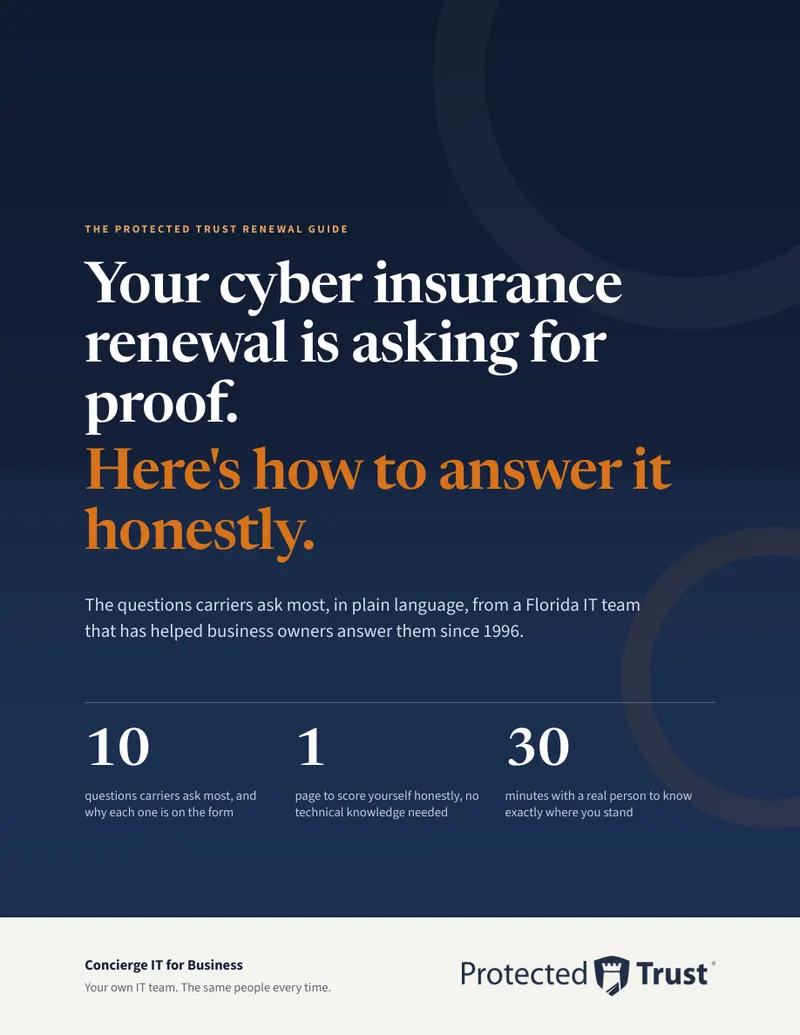
The cover of the guide. Your cyber insurance renewal is asking for proof. Here is how to answer it honestly.

Not ready to talk yet?

Your insurer's renewal questionnaire, answered.

The ten questions carriers ask most, in plain language, why each one is on the form, and one page to score yourself honestly.

Leah writes to you once, by name. Nobody adds you to a list.

Questions people ask

Plain answers.

What is Microsoft Compliance Manager?

Part of Microsoft Purview, in the Microsoft licenses on your plan. It turns a rule like HIPAA into a list of controls, shows what Microsoft has tested for its own cloud, and tracks the rest with an owner, a status, a test date and evidence. Some controls are tested automatically from your Microsoft 365. Its score shows progress, not a verdict, and the rule stays your business’s.

What if our rule is not one of these?

Microsoft keeps more than 360 rule templates, from state breach laws to SOC 2 and ISO 27001. Microsoft’s full list is public. Tell us your rule and we choose your three with you; a fourth or more is quoted at Microsoft’s price.

Can our auditor see it?

Yes. Your auditor can be given read-only access to your assessment alone, and we can export the whole assessment, Microsoft’s controls and yours, as one spreadsheet.

Do you do the compliance for us?

We put the controls in place, keep the records, fit our policy templates to your business, assign your rule to your training, and produce the proof. Your yearly risk analysis is included, the first one at setup; a written security program from scratch is a project we help you through. The responsibility stays with your practice, as the rules require.

Which compliance frameworks do you work to?

HIPAA, PCI DSS, GLBA, the FTC Safeguards Rule, IRS Publication 4557, CJIS, CMMC, and Florida's FIPA. Protected Trust is SOC 2 Type II audited and the report is available to clients on request.

Does Security + Compliance cover everyone or just some people?

Everyone on your plan. Protecting half a company leaves a gap, and auditors find gaps.

Do you have a written HIPAA security program?

Yes: our HIPAA Policy Manual, tested every year by an independent SOC 2 auditor. It covers our yearly risk assessment, who can reach client data, background checks and yearly HIPAA training for everyone at Protected Trust, encryption and backups, and how and when you hear from us if something goes wrong. We walk you through it, and show its contents under a nondisclosure agreement.

Do we need Security + Compliance?

Complete protects; Security + Compliance proves. If you hold patient information under HIPAA, clients' financial information under GLBA and the FTC Safeguards Rule, criminal justice information under CJIS, or work on defense contracts under CMMC, it is part of your plan, because the law asks for the written proof, not only the protection. If you are asked for proof by an insurer, a client or a partner, or take card payments, we recommend it in writing, and the choice is yours. Answering your cyber insurance application truthfully is in every plan.

We have never been audited. Do we still need the proof?

The proof is asked for on the worst day: after a breach report, a patient's complaint, or an insurance claim. Investigators ask first for the risk analysis and the records, and a year of records cannot be built that week. Since 2021, the law also asks regulators to weigh twelve months of recognized security practices when they set a HIPAA penalty.

Do you sign a business associate agreement?

Yes, with every practice that handles patient information. It is part of our Data Processing Agreement, in its HIPAA section, and it takes effect when your quote names HIPAA. We sign our own agreement, which covers how we report a security incident, how we notify you of a breach, the rules our subcontractors follow, and our audit report on request.

Who does our yearly HIPAA risk analysis?

We do it with you, every year, as part of Security + Compliance; the first one is done at setup, with the written report your records need. HIPAA asks every practice to have its own, and it stays yours. We do ours too, as your business associate.

What happens when a client sends us a security questionnaire?

Forward it to your team. Each question is matched to your rulebook and answered from the record, naming the part of your business it covers, with the proof attached. We send you the draft, take one review call with you, and you sign it. An audit with live sessions or site visits is quoted before it starts.

What does Security + Compliance cost?

$30 per person, per month, on top of Complete, with a $750 monthly minimum, plus the Microsoft Defender and Purview Suites for each person, at Microsoft's price. Setup is scoped with you, from $1,500. One price on every term. A second rule kept as a full program, a formal assessment against a framework, or readiness for a CMMC Level 2 assessment is quoted separately as a project.

Pick a time

Thirty minutes, no pitch.

With Pedro, Bill or Leah, who look after new clients. You leave with a plan, and you meet your own team before you decide.

PedroBillLeah

Pedro, Bill and Leah

Pick a time to talk
  • ✓ Complete protects. Security + Compliance proves.
  • ✓ A business associate agreement, in force when your quote names HIPAA.
  • ✓ Only an insurance renewal? Answering it truthfully is in every plan.

Work out your own number →

Rather call? 863-594-1141 · The same number around the clock; our night team takes anything urgent.
“They found the root cause, confirmed everything was back to normal, and even flagged the faulty device for a closer look so it doesn't happen again.”
★★★★★ Liz E., on Google
More reviews →