
IT support in Tampa, from a team that knows your setup.
Your own IT team for Tampa businesses, from small offices to 150 people, with people watching your security around the clock.
Thirty minutes with Pedro, Bill or Leah, no pitch.
★★★★★ 5.0 on Google · SOC 2 Type II · Founded in Florida in 1995
When something is wrong
What happens when you reach out.
You reach out
Phone, email, the client sign-in, or a visit to Centro Ybor by appointment. Whichever is easiest at that moment.
Someone who knows you takes it on
Usually within 15 minutes. Nobody recites a number at you.
It stays with them
Whoever takes it keeps it until it is done, and tells you what changed.
On site when it matters
Most fixes happen over the wire. When hands are needed, one of the team drives over from Ybor or downtown.
Your team
Not a queue. The same people, who know your office.
Tampa clients reach Javier, Jonathan or Joe. If one of them is out, the other two already know the setup, so the call never starts with a description of your environment.
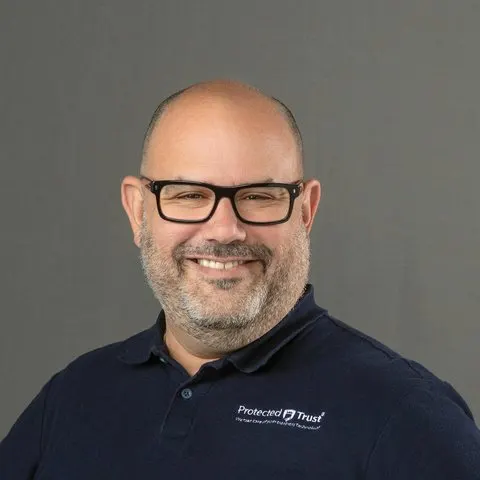
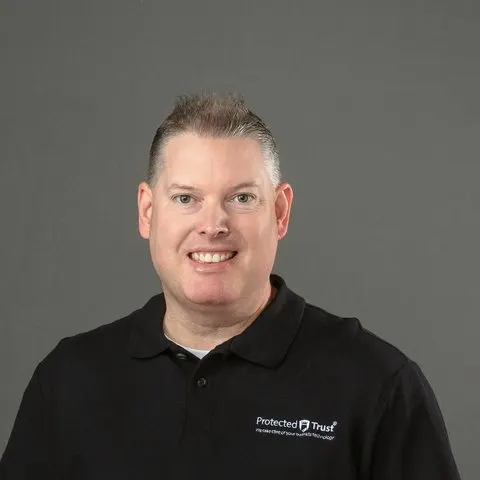
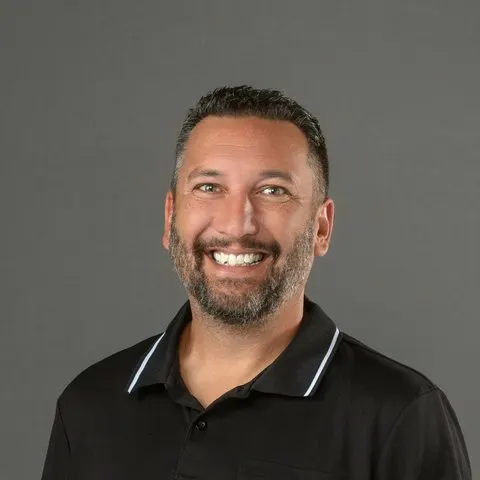
Pick a time to talkThirty minutes, no pitch.
Not ready to talk?
Take the 4‑minute IT checkup.
It starts with a real check of your email. You get a score, three quick wins, and a person who reads it.
Start my checkupWhat support coversThe everyday questions, and the security behind them.
Your people call about passwords, printers and mail. Meanwhile, people are watching your computers and sign-ins around the clock and acting when something is wrong, before anyone in Tampa has to pick up a phone. When a problem wants a person in the room, one drives over from Ybor or downtown, to Brandon, Carrollwood, Temple Terrace, or wherever in Hillsborough County you are.
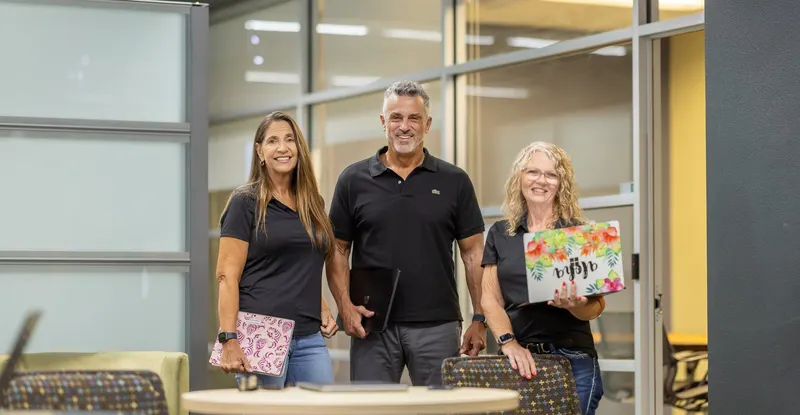
Your security, around the clockWho watches your business at 2 a.m., and what they do.
Software can spot an attack and send an alert. Someone still has to read it and act, at any hour. That is the part we carry, for you, every night.
- 1
Everything is collected
Every sign-in, email and computer event goes to one place, wherever your people are working, and is checked for the patterns of an attack.
- 2
People are watching
Our security operations center reviews what turns up: people, around the clock, every day of the year, not an inbox no one reads at night.
- 3
They act
The account is locked and signed out, and the computer can be cut off from the network, at any hour. Who we call is agreed with you beforehand: for a serious incident, your chosen contact, right away; for anything less, your Concierge Team in the morning.
Your cyber insurance questionnaire calls step 1 a SIEM and steps 2 and 3 a SOC, a security operations center. It is in every plan, not an upgrade.
A server down at night? The same number reaches our night team within 15 minutes.
What clients say
“… our CEO’s mailbox had a critical issue. Instead of pushing it to the next business day, their team stayed late on a Friday night and worked with us until the issue was completely resolved.”
“They have a great team and are very attentive to getting you help. They know and understand urgency when contacted.”
What it costs in TampaThe prices, all of them.
Complete
Security is included in the $125, not added on. Your team, your devices, backup, planning and Microsoft 365 care, all in one price per person.
Security + Compliance
The proof for offices held to HIPAA, the FTC Safeguards Rule, CJIS or CMMC, on top of the security everyone already has.
Copilot, AI for work
Microsoft Copilot set up safely, only for the people who need it.
Setup, once: $150 per person at a computer, $1,500 at least, so $1,500 for that office.
With or without an IT person: the same price, because the protection is the same for every person.
Microsoft licenses are their own lines, at Microsoft’s prices. Most plans need Microsoft 365 Business Premium, $22 a person a month, for the security and auditing a business needs; people who work only on a phone or shared tablet, with no computer of their own, are on Frontline, at a lower price. One bill for all of it.
Changing providersFour steps to switch, and your old setup stays on until everything is confirmed.
In a contract? Plan now, switch when it ends. Keeping your IT person? The same four steps, with them at the table.
A 30-minute call
You hear what the first month would look like.
Meet your team
Before you decide, you meet the people who would look after you.
A look, then a plan
Your team looks at what you have while your current setup stays in place. Nothing changes until you have the plan and its cost in writing, and have said yes.
The first month, done by us
Computers protected, your people introduced to the team, and the handover from your old provider done by us.
Already a client? Reach us any way you like.
IT support in Tampa: the questions owners ask first
Will you fix a one-time problem for a Tampa business that is not on a plan?
No one-off jobs. When something urgent is what brings a Tampa business to us, it can usually get set up as a client, and we help from there. Call, and you get a straight answer either way.
How fast is a Tampa office helped?
Most days within about 15 minutes, by one of the three people who already know your setup.
Remote or on site?
Over the wire first, because it is fastest. When it matters, someone drives from Ybor or downtown to Westshore, Brandon, Temple Terrace, Carrollwood, or anywhere in Hillsborough County.
Is IT support extra?
No. It comes inside Complete at $125 a person each month, with security built in. Bigger jobs are projects, priced in writing first.
What about nights and weekends?
The number does not change. By day, most questions are answered within 15 minutes; after hours, our night team takes anything urgent, a system down or a security event, within 15 minutes; everything else waits for the next business day. Computers and sign-ins are watched all the time. A visit to the Ybor office after hours is by appointment.
We are in Clearwater. Who supports us?
Our St. Petersburg office looks after Pinellas, Clearwater and the beaches, as the same company.
Our Tampa IT company was bought. What now?
No rush. Protected Trust has stayed independent since 1995. A second opinion is thirty minutes with Pedro, Bill or Leah, followed by a look at what you have, with the new owner still in place, and a written price. Nothing changes until you say yes.
Who holds our Microsoft 365 admin keys?
You hold them. We record the admin access, the domain, the DNS and the backups and hand that record to you, so no Tampa office is ever locked out of its own systems by whoever looks after them.
Thirty minutes, no pitch.
With Pedro, Bill or Leah, who look after new clients, by video or phone. You leave with an honest answer, and you meet your own team before you decide.
Rather call? 813-588-3092
Pick a time